- Le Digital Marketer
- Posts
- How to Use Canva AI Advance features for business
How to Use Canva AI Advance features for business
How to Use Canva AI

Bellamy Rodford
October 19, 2023

We’ve just crossed 300 subscribers!
If you’re new here, welcome to the best coverage of AI tools, news & prompts. If you’re a long-time subscriber, welcome back! I’m incredibly grateful for everyone’s support and feedback.
I want to take this opportunity to acknowledge and thank you for your tremendous efforts in your business. But here, I came up with the use of Advance Canva AI features to boost your business success as a digital marketer.
Navigating the ever-evolving digital landscape while responding to changes in socio-economic conditions is daunting. Canvas app marketplace has a powerful AI app that can create beautiful slides in a consistent style that attracts the audience's attention and keeps the audience from getting bored during a presentation. The following presentation shows how to use AI images, music, voice narration, and avatar apps. Here the canva best AI features which add value for a digital marketer to create engaging posts for social media and other brand awareness
Text to Picture
Text to Image is Canva's response to generative AI tools such as DALL-E 2 and Midjourney that generate images based on natural text prompts. Type in the image you want to see, and Canva will create it.
Of course, the quality of the result depends on the prompts you use. In general, the more detailed you provide, the better the result will be, especially if you describe the style of the image. Are you not sure what style you want? Canva also offers a one-click choice of photo, neon, minimalist, watercolor, retro anime, dreamlike, and more.
To try this feature, I gave Canva the following prompt:
"The background is red, with a golden sculpture of a rabbit sitting on a pedestal.
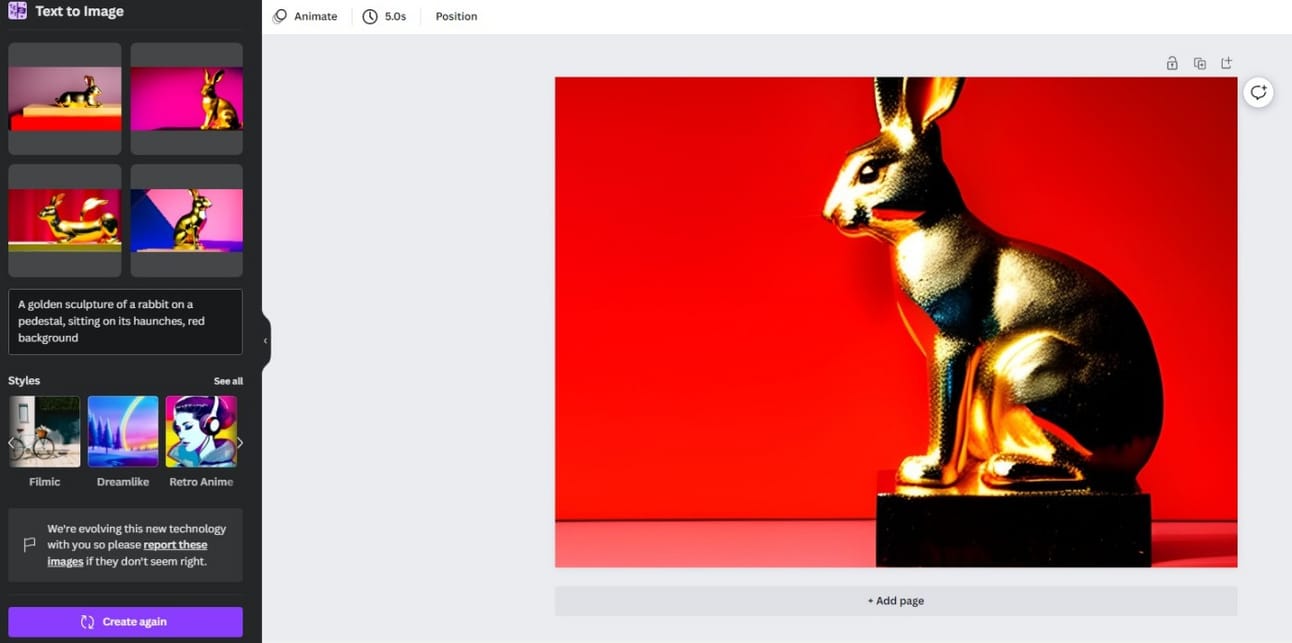
Canva produces several choices and lets you choose from them. Of course, you can switch to another style or rewrite the prompts if none match your vision.
On the surface, Text to Image feels like an alternative to stock photos. But in fact, it is much more effective than that. Specially for business owners and marketers, Text to Image enables:
To generate an image of a product that does not exist yet.
Instead of relying on designers to mock up ideas, you can brainstorm in real-time.
Create viral content with unforgettable and unique images.
Also, Text to Image can be interestingly integrated with Magic Edit.
Magic Design
Peviously, when creating a design in Canva, you had to explore a library of impressive and overwhelming design templates and customize them to suit your image, logo, and overall aesthetic sense. Canvas Magic Design can use AI to reverse that scheme and start designing in near-perfect conditions. Just upload a photo or write a text query that explains what you need, and Magic Design generates a design template that fits. You no longer need to make it from scratch.
Given that Magic Design can develop templates for everything from YouTube thumbnails and TikTok videos to displays and infographics, this AI tool might provide users with more time-saving possibilities than any tool in this list.
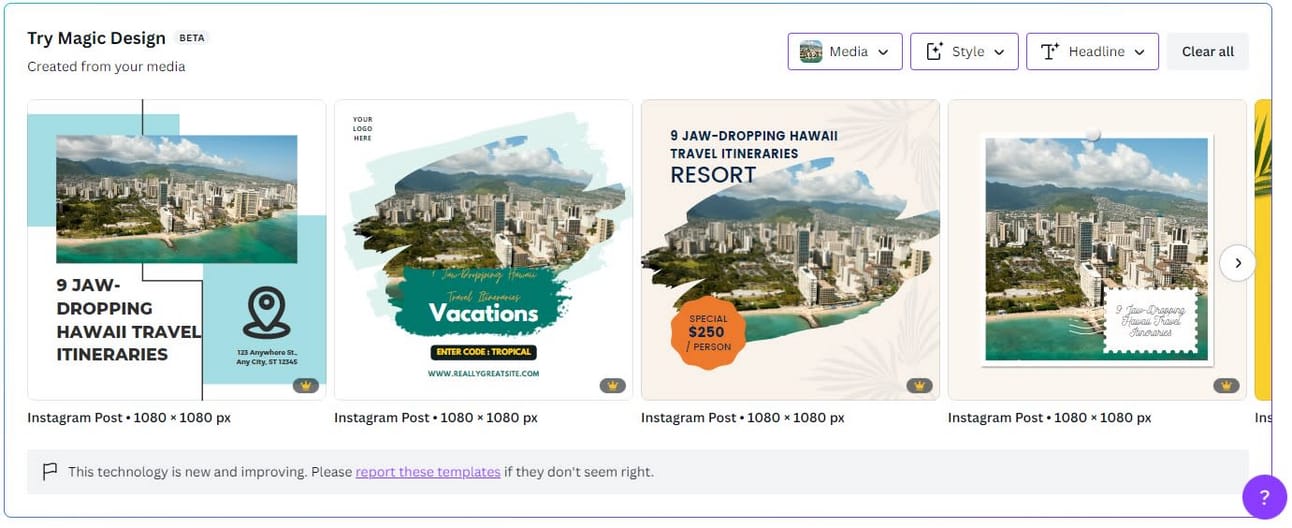
To test Magic Design, I dropped a picture of Honolulu with the title "9 jaw-dropping Hawaii travel itineraries". As for the style, "Travel" was selected. Magic Design quickly created a variety of design templates, including Facebook posts and Instagram stories.
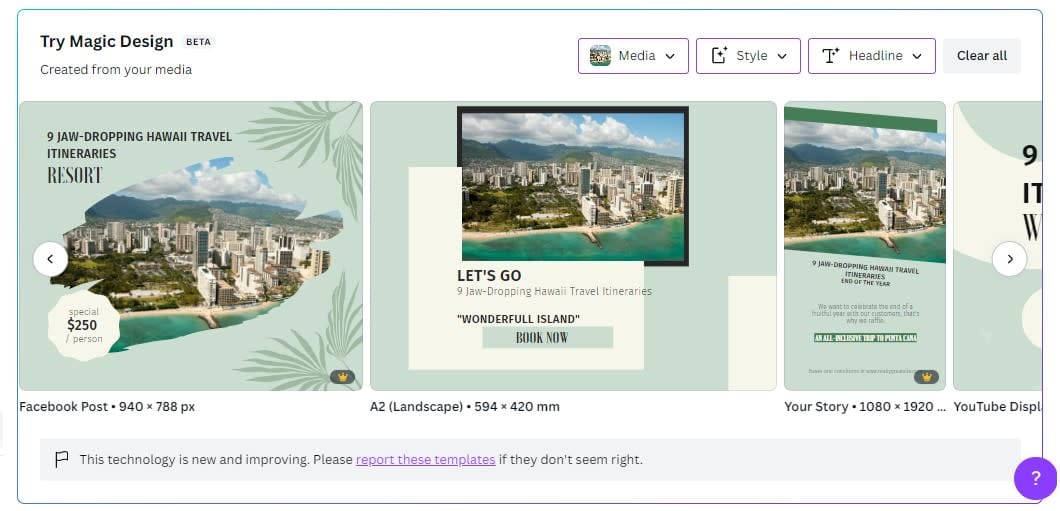
A series of Hawaii-themed design templates created by AI using Canvas Magic Design.
You can also have Magic Design create multiple templates for a particular media type, such as Instagram posts. In this way, you can choose the design that best suits you.
Magic Eraser
To jump into a blank Canva page, you need to use Canva's new photo editing UI.

If you haven't used it yet, just click "Edit Photo" and click this button to proceed to the new photo editing UI.
Using the Magic Eraser tool, you can select a part of the picture and delete the items in the selected part.
To do this, brush the part of the image you want to remove. When you release the brush, everything in that area is deleted using AI.

This allows you to add your favorite image to the blank.
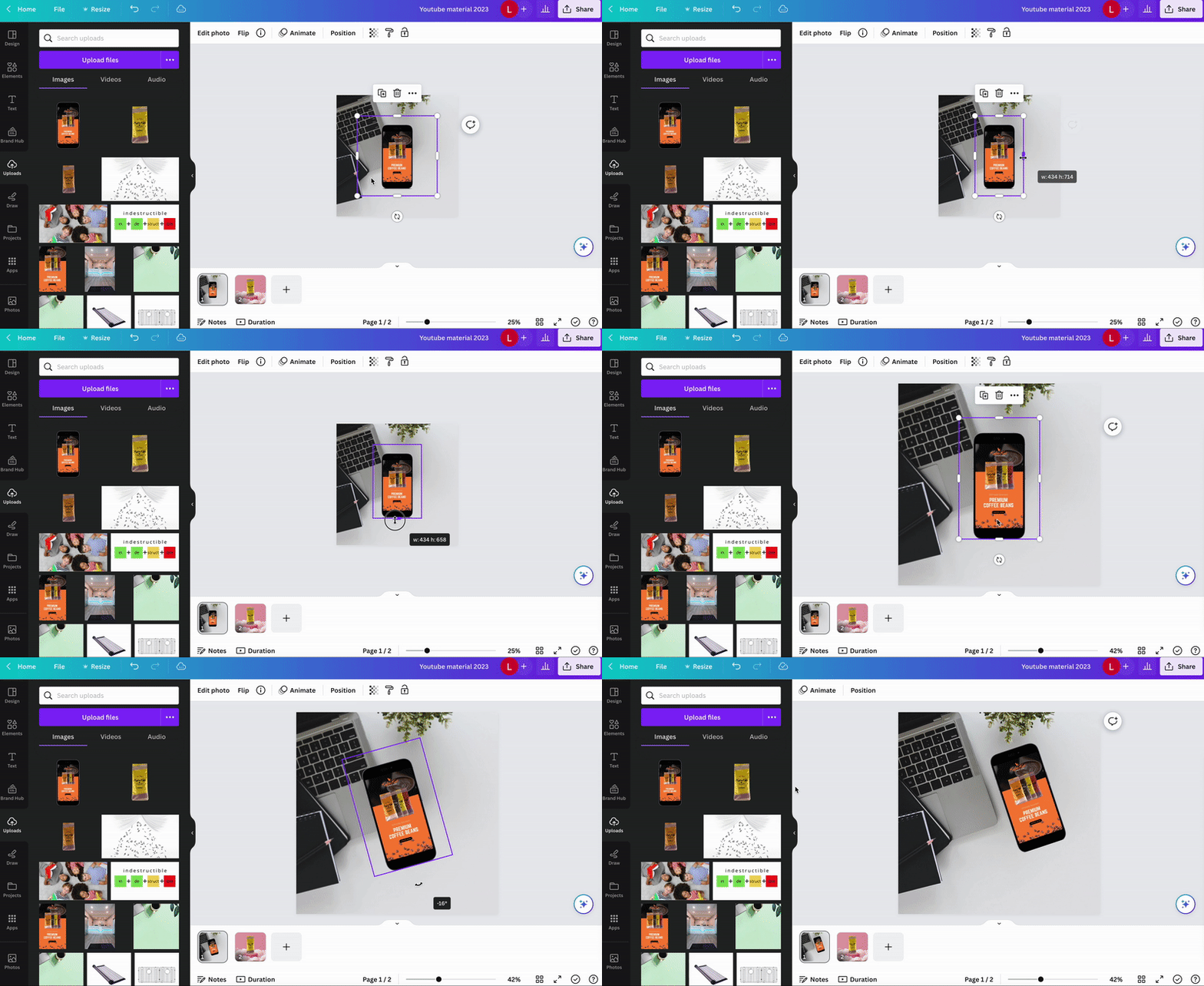
This allows you to add your favorite image to the blank.
The future of Canva AI
Getting Canvas AI to produce a five-minute video that explains the benefits of walking every day may be a long way off, but it's not beyond the scope of possibilities. It's amazing what Canvas AI can do at this moment, and in my humble opinion, content creators should embrace the technological revolution happening right in front of them.
At Profile Tree, we are always ahead of industry trends, and AI is a topic that is currently under discussion. Check out these AI statistics and see what the future of AI means for your business.
Frequently Asked Questions
How many users does Canva have?
Canva has more than 100 million monthly active users, and it's pretty impressive given that it's been on the line since 2013. Canva's platform continues to grow and expand its customer base. It also supports more than 100 languages and is a very comprehensive visual communication software.
Is Canva AI free?
There are free and paid versions of Canva AI. The free version offers thousands of free templates, over 100 design types, and over 1 million free photos and graphics.
What is the pro version of the Canva app?
Canva AI Pro is 99.99 pounds per person per year, which is cheaper than a monthly plan of 10.99 pounds per person per month. In the pro version, you can access premium templates, brand kits, stock videos, and audio clips. Additional features are also available, including 24x7 customer support, social media content scheduling, and tools like Magic Resize and Background Remover.
Is Canva the best?
To put it bluntly, I don't think AI content generation tools have been around for long enough to choose the best. Of course, other rivals like ChatGPT can be said to be good at writing content, but the more appropriate question may be, "Which AI tool is best for writing sentences? Which AI is best for generating images."
But what is certain is that Canva AI and other AI-powered platforms will continue to grow and become more intelligent. What we need to do now is to learn how to optimize them for our benefit and integrate them into our daily lives and work.
Conclusion
Canvas AI upgrade brings a number of useful features that make it easier for digital marketers to create designs. With AI, users can quickly and easily create high-quality, professional designs without much effort or experience in graphic Design. Canva Pro Power-Up and Canva Animator use AI to create and propose a variety of designs and animations, while Canva Background Remover can quickly remove backgrounds from photos and images. In Design Reactions, you can rate and comment on other users' designs, and in Personalized Recommendations, you can access useful user features.As a result, the new Canva AI update has made Design simpler and accessible to users with less marketing experience. AI also makes design creation easier for experienced designers because it gives them quick and easy access to all the features they need to create high-quality, professional designs.
Reply