- Le Digital Marketer
- Posts
- 8 Canva feature every Digital Marketer should know
8 Canva feature every Digital Marketer should know
Canva for digital marketers: 8 essential features you need to know

Bellamy Rodford
August 08, 2023
We’ve just crossed 300 subscribers!
If you’re new here, welcome to the best coverage of AI tools, news & prompts. If you’re a long-time subscriber, welcome back! I’m incredibly grateful for everyone’s support and feedback.
Canva is a powerful online graphic design platform that can be used to create a variety of designs, from social media posts to presentations to websites. It's easy to use, even for beginners, and it has a wide range of features that can help you create professional-looking designs.
Here are 8 Canva features you need to know:
Mockups. Canva has a library of mockups that you can use to create realistic previews of your designs. This is a great way to show clients or customers what your designs will look like in real life.

Outline. You can add an outline to an image to make it stand out more. This is a great way to add emphasis to text or images in your designs.

Shadows. Shadows can add depth and dimension to your designs. You can add shadows to text, images, and shapes.

Website. Canva now allows you to create full websites using its drag-and-drop editor. This is a great way to create a simple website without any coding experience.

Blur. You can blur a part of your image to hide it or to create a focus effect. This is a great way to protect sensitive information or to create a more visually interesting design.
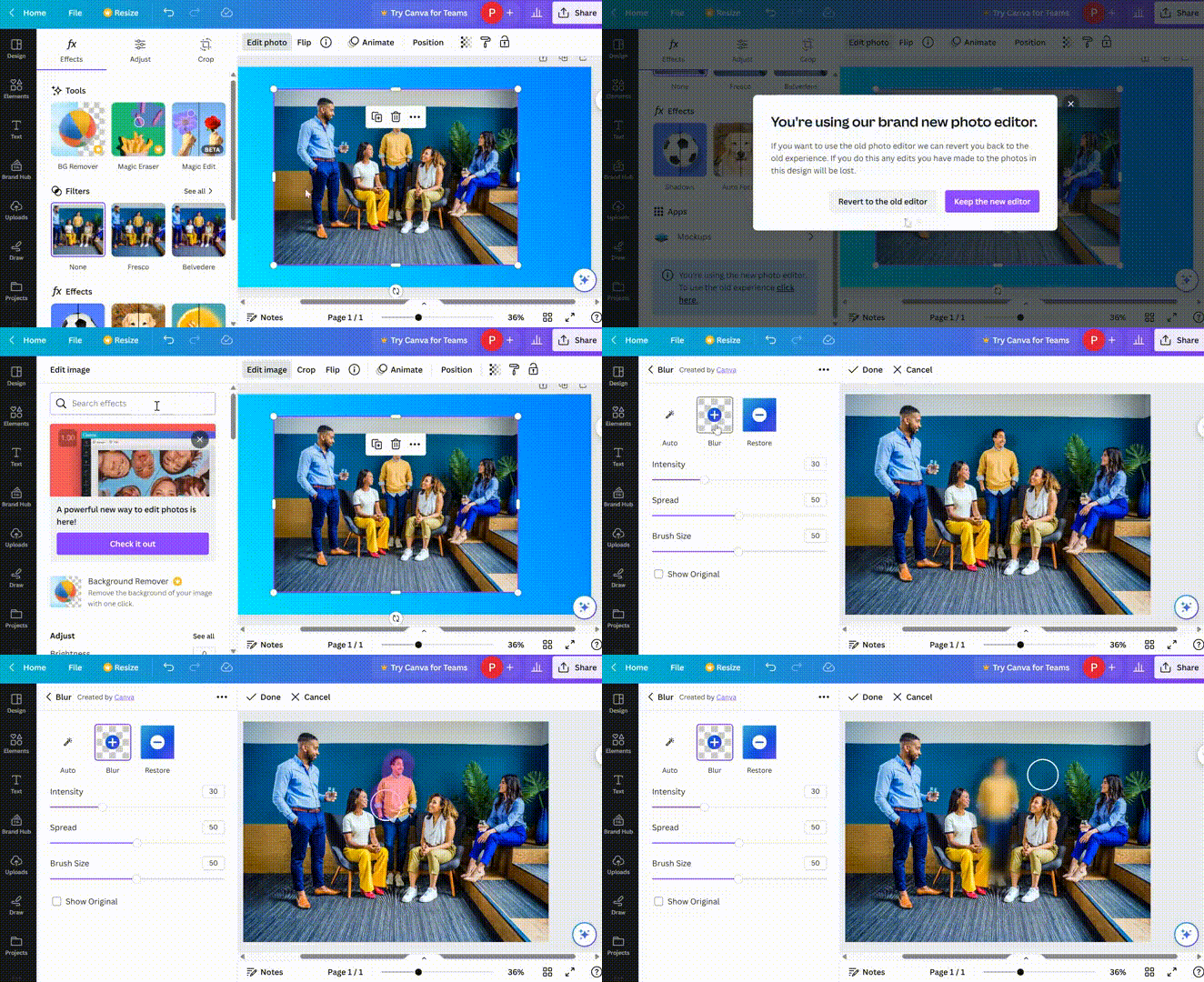
AI image. Canva can generate AI images based on your text prompts. This is a great way to add unique and interesting images to your designs.

Gradient. You can create gradients with the colors of your choice. This is a great way to add depth and interest to your designs.
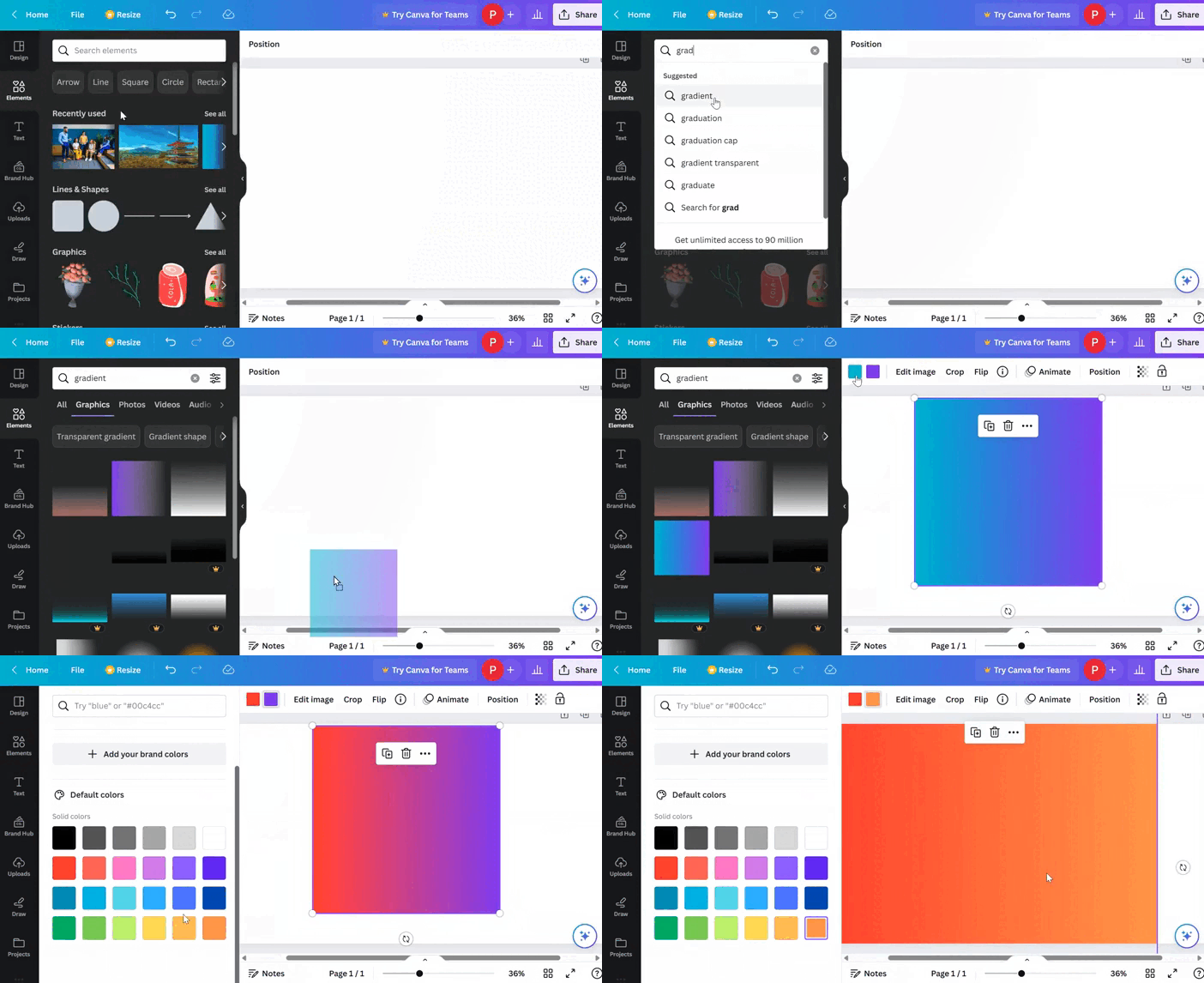
Magic edit. Canva's Magic Edit feature can automatically replace one element with another in your design. This is a great way to fix mistakes or to update your designs with new information.

Here are some additional tips for using Canva:
Use the search bar to find templates that you can use as a starting point for your designs.
Take advantage of the library of free and premium elements that Canva offers.
Experiment with different colors, fonts, and layouts to create designs that are unique to you.
Save your designs as templates so that you can easily reuse them in the future.
Share your designs with others on social media or download them as high-quality images.
Here is some news related to AI that may be helpful for you.
You need to see this.
Google's new search engine update could wipe out 90% of digital marketers.
Learn what's new and how to stay ahead of the curve (thread)🧵🧵🧵:
— Bellamy (@lebellamyde)
11:20 PM • Aug 5, 2023
Bing Chat is coming to Chrome & Safari 🔥
This will be a true test for Google's search engine dominance.
Here's the full breakdown of how Bing chat is challenging Google: http
— Martin Crowley (@AIToolReport)
12:00 PM • Aug 8, 2023
Reply